 Hydra Vision Learn
Tool · Support
Support tickets: one conversation, in one place.
Support tickets are how you ask the Hydra Vision team for help: with the EA, the website, your licence or payment, setup, or an idea you want to suggest.
The problem it solves
Support by email scatters a problem across threads, and the first few messages are usually spent asking which EA version, which account and which settings. A ticket keeps everything together and starts with the details support needs.
What you see and do
- Open a ticket from Tickets in your dashboard and choose what it is about: a problem with the EA, a problem with the website, licence or payment, general help, or a suggestion.
- Details included. For an EA problem you pick the account, and the ticket includes the EA version and settings that account last reported.
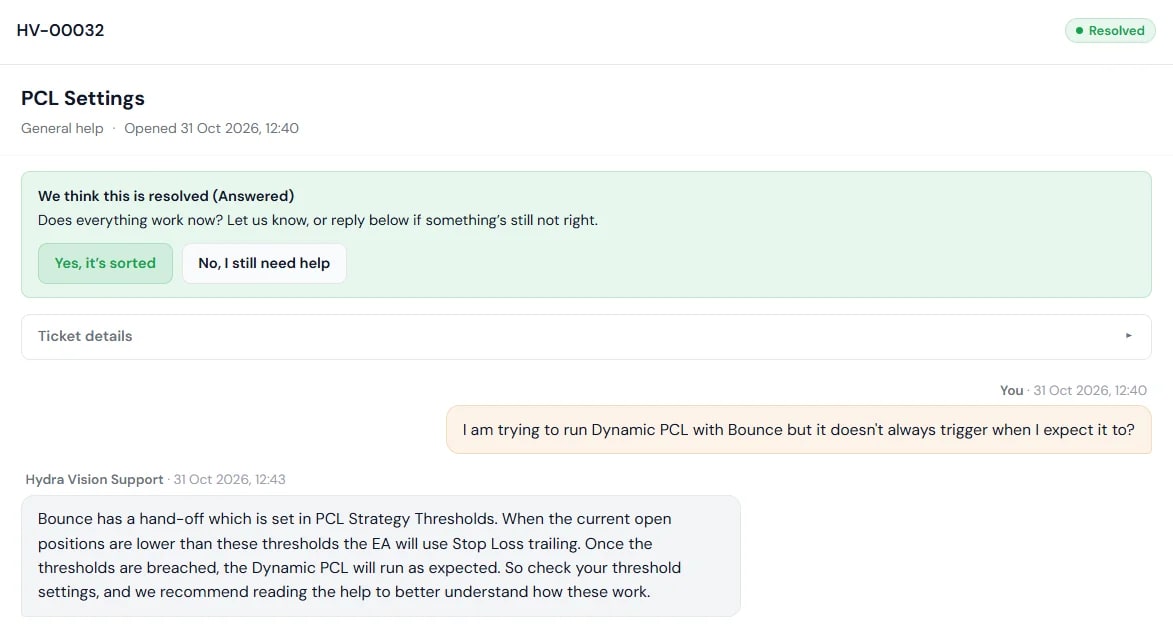
- Follow it. Each ticket shows its status, from Received through In progress to Resolved, and you get an email each time we reply. When we think it is resolved, you confirm it is sorted or reopen it.
- Logs, on your terms. We see your logs only if you grant access. You can fetch the relevant log lines yourself from the Agents page and paste them into a reply, or give support time-limited access to your Agents page for that ticket. Support access can fetch logs but can never send commands or close positions, and you can revoke it at any time.
Never put passwords, licence keys or payment details in a ticket. We will never ask for them.
Which plan includes it
Tickets are opened from your Hydra Vision dashboard. Granting log access uses the Agents page, which comes with Hydra Agent and the Subscription. Compare the plans.
See it on a demo account. The trial is free for 14 days, with no credit card.
Start 14-day trial