 Hydra Vision Learn
Tool · Support
Hydra Assistant: ask what happened.
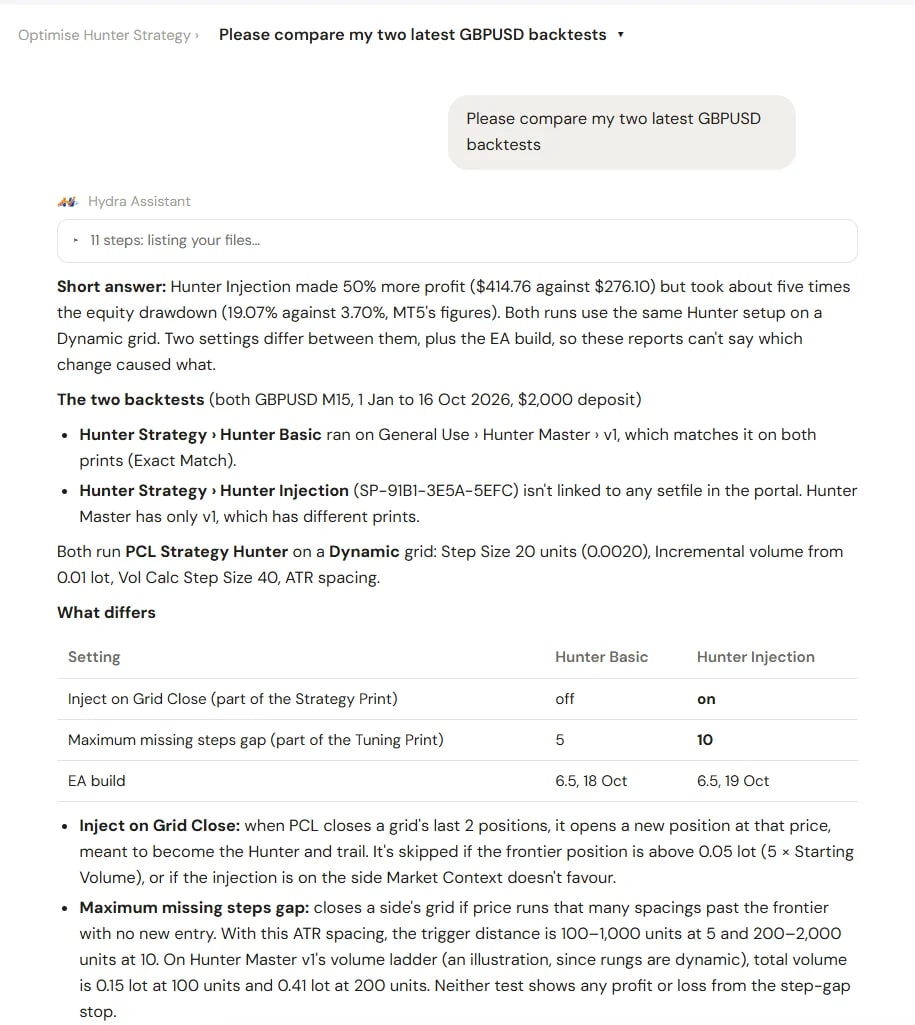
Hydra Assistant is a chat in the portal that answers questions about Hydra Vision: any setting, setfile, backtest or account. Each answer shows where it came from.
The problem it solves
Hydra Vision has many settings, and they interact. Finding the answer to a specific question can mean reading several help guides, then checking a setfile or a backtest to see how it applies to you. A general chatbot does not know Hydra Vision, and an answer with no source is hard to trust.
What you see and do
- Ask in plain words. For example, what the Strategy Print and Tuning Print mean, what a setting does, or what happened in a particular grid.
- Answers from two places: the Hydra Vision documentation, and your own data on the platform, such as your setfiles, backtests and accounts.
- The source, every time. Each answer says where it came from, such as a named help guide, so you can check it.
The Assistant explains how Hydra Vision works and what your data shows. It is not investment advice, and the decisions about your settings and your trading stay yours.
Hydra Assistant runs on Claude. You connect it with your own Claude API key.
Which plan includes it
Both the Free Trial and the Subscription, with your own Claude API key. Compare the plans.
There is no separate help guide for the Assistant; it answers from the help guides themselves. Read the FAQ for common questions.
See it on a demo account. The trial is free for 14 days, with no credit card.
Start 14-day trial