 Hydra Vision Learn
Tool · Configure & Learn
Setfile Builder: settings you understand.
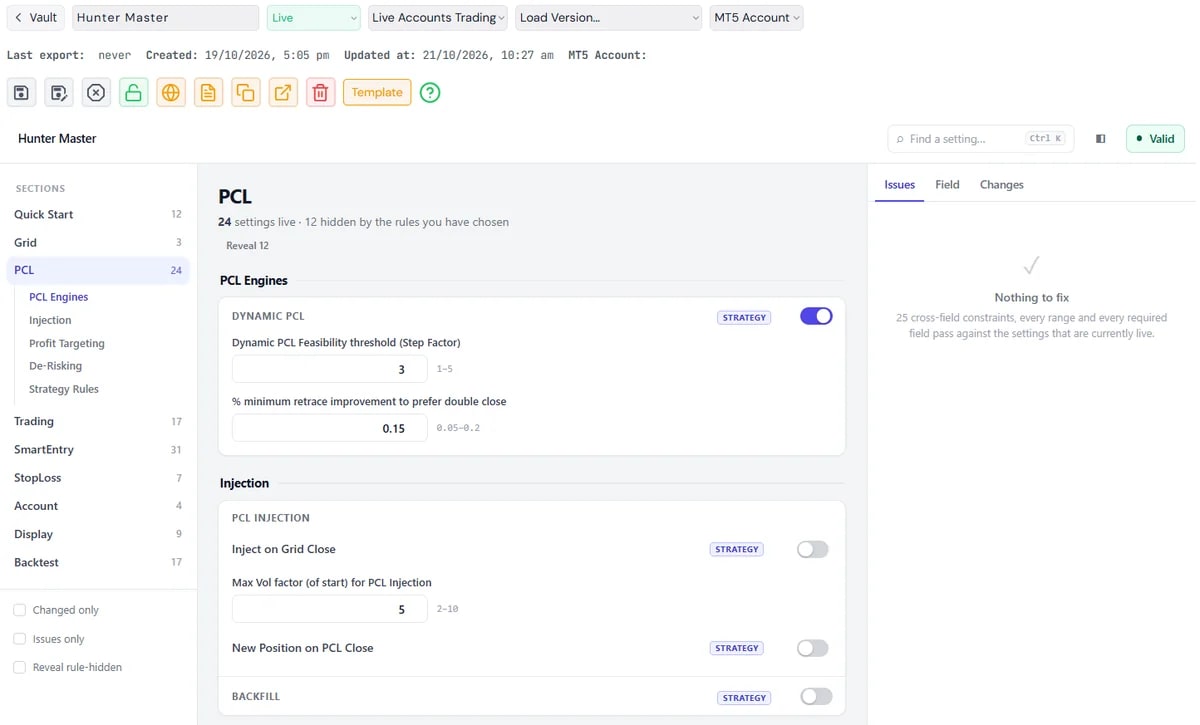
The Setfile Builder is where you create and manage Hydra Vision setfiles online, instead of editing a long list of inputs in MetaTrader 5.
The problem it solves
Hydra Vision has more than 170 settings. In MetaTrader they appear as one long list, and setfiles pile up in folders with names like "v6_FINAL_use_this". Over time nobody can say which file is which, or what changed between two of them.
What you see and do
- Settings in context. Inputs are grouped into tabs, categories and logic groups. Each has inline help, and related settings respond to each other: switch a feature off and the settings that depend on it turn off too; enter a value outside its expected range and you are told straight away.
- Versions. Save a new version instead of a new file. Every version is kept, and two versions can be compared side by side with only the differences shown.
- Prints. Every saved version gets a Strategy Print and a Tuning Print. Two files with different names cannot pretend to be different, and a renamed copy cannot pretend to be new.
- Notes and folders. Write what a setfile is for in plain words, and sort setfiles into strategy folders.
- Export. Download a
.setfile to load in MetaTrader 5 for backtesting or trading.
To start a new setfile from questions rather than defaults, use the Rules wizard. When a backtest is uploaded to Backtest Analysis, its prints link it back to the setfile version that produced it.
Which plan includes it
Both the Free Trial and the Subscription. Compare the plans.
See it on a demo account. The trial is free for 14 days, with no credit card.
Start 14-day trial